
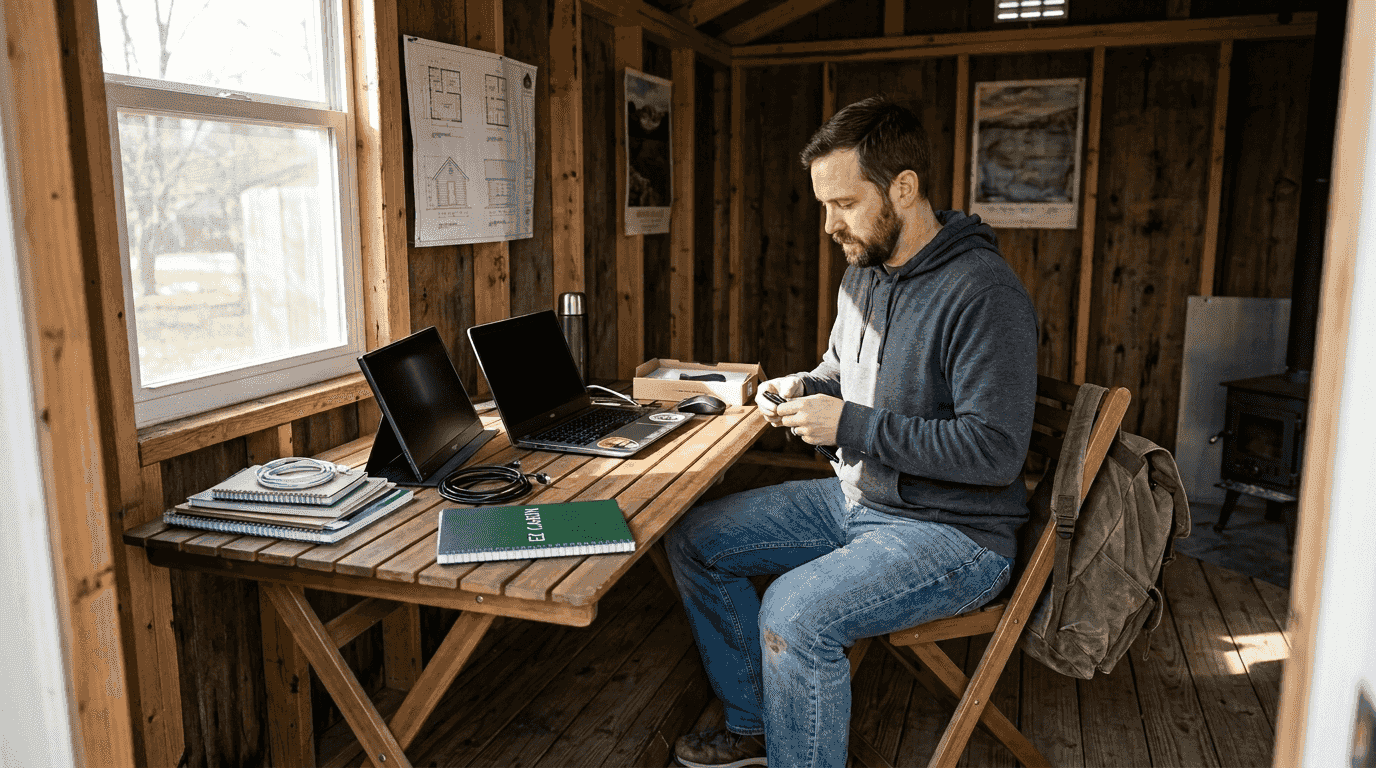
Remote workers and entrepreneurs across Kentucky and Ohio often struggle with portable office setups that cause discomfort, reduce focus, and limit productivity. Poor ergonomics, unreliable connectivity, and cluttered workspaces turn flexible work into a frustrating experience. This guide delivers practical solutions to build an efficient, comfortable, and adaptable portable office in 2026. You will learn how to choose the right hardware, optimize ergonomics, secure stable connectivity, and explore local workspace options tailored to your needs in Kentucky and Ohio.
Table of Contents
- Assessing your portable office needs and hardware essentials
- Setting up ergonomic and efficient workspace arrangements
- Optimizing connectivity and equipment for seamless remote work
- Local options: flexible portable office spaces and amenities in Kentucky and Ohio
- Discover flexible workspace solutions with EZ-Cabin
Key takeaways
| Point | Details |
|---|---|
| Hardware selection | Choose laptops with modern CPUs, 16 GB RAM minimum, and fast NVMe storage to handle multitasking efficiently. |
| Ergonomic setup | Use adjustable stands, supportive chairs, and proper monitor positioning to reduce strain and boost comfort. |
| Reliable connectivity | Implement Wi-Fi 6/6E routers, mesh networks, and QoS settings to ensure stable, secure remote work performance. |
| Local workspace options | Explore coworking spaces and portable office rentals in KY and OH for flexibility beyond home setups. |
Assessing your portable office needs and hardware essentials
Building an effective portable office starts with understanding your specific work demands. Identify the software you use daily, the number of applications you run simultaneously, and whether you handle large files or virtual machines. These factors determine the hardware specifications you need.
Prioritize a recent-gen CPU, 16 GB RAM, and fast NVMe storage for laptops that handle typical office tasks smoothly. If you juggle virtual machines, large spreadsheets, or creative tools like video editing software, upgrade to 32 GB RAM. Fast NVMe drives reduce boot times and application load delays, making your workflow feel snappy and responsive.
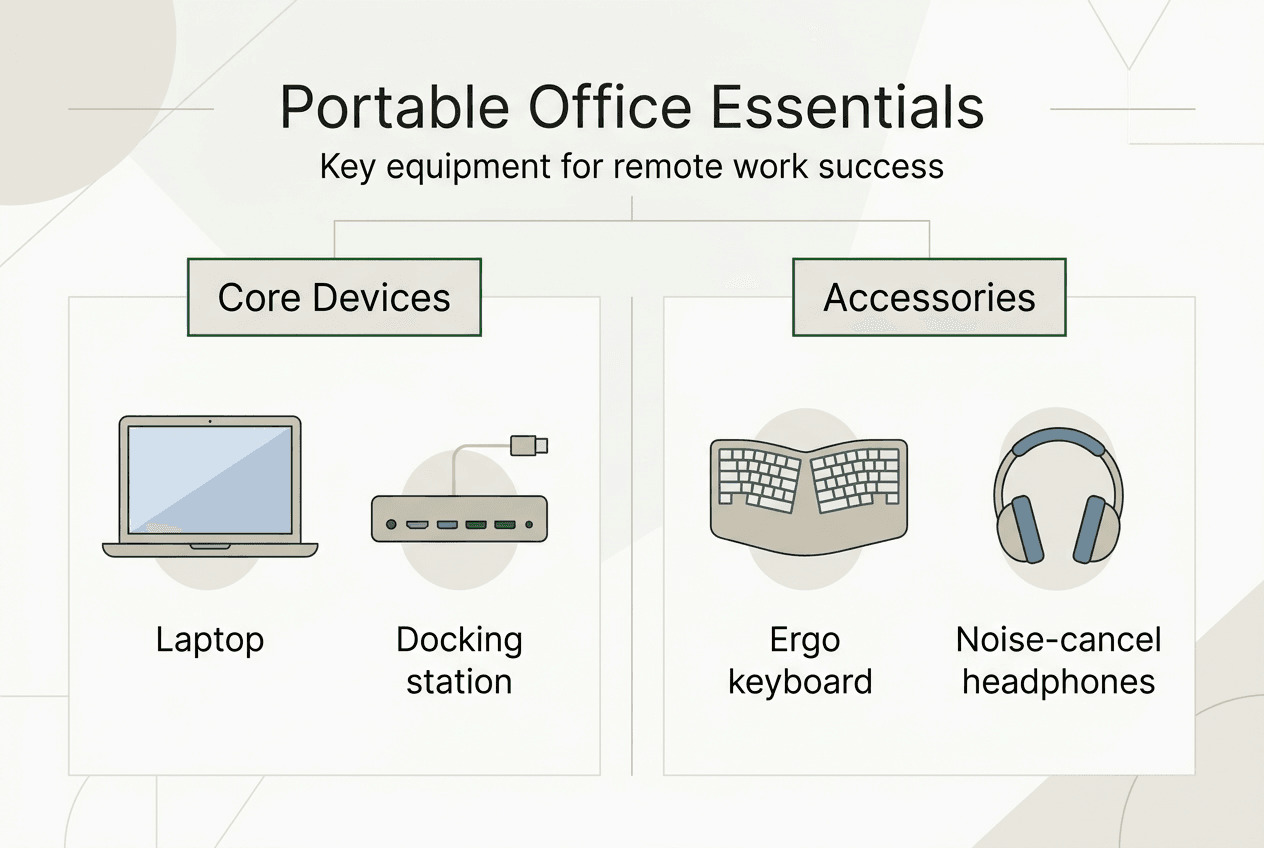
External devices expand your laptop's capabilities significantly. Docking stations let you connect multiple monitors, external keyboards, and mice with a single cable. This setup transforms a portable laptop into a full desktop workstation when you settle at your home office or coworking space. Look for docks that support Thunderbolt 4 or USB-C with Power Delivery to charge your laptop while driving peripherals.
Lightweight, portable all-in-one portable workstation kits like the ProtoArc XKM01 combine keyboard, mouse, and stand into compact packages. These kits fit easily into backpacks and set up quickly at coffee shops, client offices, or temporary workspaces. They maintain ergonomic standards without sacrificing portability.
Accessories matter as much as core hardware. Invest in a wireless keyboard with good key travel and a mouse that fits your hand comfortably. Adjustable laptop stands elevate your screen to eye level, preventing neck strain during long work sessions. External webcams and microphones improve video call quality, making you appear professional and easy to hear.
Connectivity specs deserve attention too. Wi-Fi 6 or 6E support ensures your laptop takes full advantage of modern routers, reducing latency and improving bandwidth. Bluetooth 5.x provides stable connections to wireless peripherals, minimizing dropouts and interference. These features keep your portable office running smoothly whether you work from home, a coworking space, or a portable shed.
Pro Tip: Create a portable office checklist with your essential hardware and accessories. Pack everything in a dedicated bag so you can grab and go without forgetting critical items like chargers or adapters.
Setting up ergonomic and efficient workspace arrangements
Ergonomics directly impact your comfort, health, and productivity. Poor posture and awkward setups lead to neck pain, back strain, and wrist injuries that reduce your ability to work effectively. Building an ergonomic portable office requires attention to chair support, monitor positioning, and accessory placement.
Start with a supportive chair that maintains your spine's natural curve. Your feet should rest flat on the floor, and your thighs should be parallel to the ground. Adjustable chairs let you customize seat height, backrest angle, and armrest position to fit your body. If you work from a portable shed or home office, invest in a quality chair that prevents fatigue during long sessions.
Ergonomic setups significantly reduce fatigue and increase focus in remote work environments. Position your monitor at arm's length with the top of the screen at or slightly below eye level. This placement reduces neck strain and prevents you from hunching forward. If you use a laptop, an adjustable stand like the Rooster travel stand elevates the screen while allowing you to use an external keyboard and mouse at proper heights.

Maintain a clutter-free desk to improve focus and reduce distractions. Use cable organizers to manage power cords and peripheral cables. Keep only essential items within reach, storing documents and supplies in drawers or shelves. A clean workspace creates mental clarity and makes it easier to transition between tasks.
Arrange accessories to minimize wrist strain. Your keyboard should sit flat or tilted slightly away from you, with your wrists in a neutral position while typing. Place your mouse close to your keyboard at the same height, avoiding reaching or twisting motions. Ergonomic keyboards and vertical mice reduce repetitive strain injuries over time.
Separate work and personal zones, even in portable setups, for mental clarity. If you work from home, designate a specific area for your office. This boundary helps you mentally switch into work mode when you enter the space and disconnect when you leave. Home office sheds options provide dedicated workspaces that physically separate professional and personal life.
Regular breaks and movement complement ergonomic setups. Follow the 20-20-20 rule: every 20 minutes, look at something 20 feet away for 20 seconds. Stand, stretch, and walk around every hour to prevent stiffness and improve circulation. Movement breaks boost energy and concentration throughout the day.
Pro Tip: Set hourly reminders on your phone or computer to prompt stretching and posture checks. Small adjustments throughout the day prevent cumulative strain and keep you comfortable.
Optimizing connectivity and equipment for seamless remote work
Reliable connectivity forms the backbone of effective remote work. Dropped video calls, slow file uploads, and laggy applications frustrate clients and reduce your productivity. Building a stable, secure network requires strategic router placement, quality hardware, and proper configuration.
Use Wi-Fi 6 or 6E routers to ensure stable, wide coverage and reduce lag. These modern standards deliver faster speeds, handle more devices simultaneously, and reduce interference from neighboring networks. Mesh networks extend coverage throughout your home or portable office, eliminating dead zones and maintaining consistent performance as you move between rooms.
Implement Quality of Service (QoS) settings to prioritize video conferencing traffic during peak times. QoS tells your router to allocate bandwidth to critical applications like Zoom or Microsoft Teams, preventing buffering or dropped calls when other devices stream video or download files. Most modern routers include QoS configuration in their admin panels.
Proper network configuration, including mesh placement and QoS, is crucial for reliable remote work connectivity. Position mesh nodes strategically to create overlapping coverage zones without interference. Place the primary router centrally and elevate it off the floor for better signal propagation.
Secure your network with VPNs, router hardening, and isolation of IoT devices. Change default router passwords to strong, unique credentials. Enable WPA3 encryption if your router supports it, or use WPA2 as a minimum. Create a separate guest network for smart home devices to isolate them from your work computers and sensitive data.
Choose docks and hubs with sufficient bandwidth for multiple 4K displays and robust power delivery. Thunderbolt 4 docks support dual 4K monitors at 60 Hz while delivering up to 100W of power to charge your laptop. USB-C hubs offer more affordable options with slightly lower bandwidth but still handle most office tasks effectively.
Consider device charging options and portability when selecting connectivity accessories. Compact travel docks fit easily into laptop bags and provide essential ports without adding significant weight. Multiport chargers consolidate power adapters, reducing cable clutter and freeing up outlet space.
Connectivity equipment comparison
| Equipment Type | Key Features | Best For |
|---|---|---|
| Wi-Fi 6E Router | 6 GHz band, reduced interference, faster speeds | Large homes, multiple devices, high-bandwidth tasks |
| Mesh Network | Whole-home coverage, seamless roaming, easy setup | Eliminating dead zones, multi-story homes |
| Thunderbolt 4 Dock | Dual 4K support, 100W power delivery, high bandwidth | Desktop replacement setups, creative professionals |
| USB-C Hub | Portable, multiple ports, affordable | Travel, basic office tasks, budget setups |
Portable cabins productivity add-ons can include dedicated network infrastructure for stable connectivity in detached workspaces.
Pro Tip: Run speed tests at different times of day to identify peak congestion periods. Use this data to schedule large uploads or downloads during off-peak hours when bandwidth is more available.
Local options: flexible portable office spaces and amenities in Kentucky and Ohio
Sometimes working from home or a portable shed is not enough. Local coworking spaces and office rentals provide professional environments, reduce isolation, and offer amenities that enhance productivity. Kentucky and Ohio offer several flexible workspace options tailored to remote workers and entrepreneurs.
NKY Chamber offers CoWorks at Fort Mitchell with private offices and cubicles. This facility provides 24/7 secure access, high-speed internet, print services, and conference rooms. Monthly rental costs range from $600 to $1,400 depending on space size and privacy level, making it accessible for solopreneurs and small teams.
Benefits of coworking spaces extend beyond physical infrastructure. You gain access to a professional community, networking opportunities, and collaborative environments that combat the isolation of remote work. Conference rooms and meeting spaces let you host clients without inviting them into your home. Print services, mail handling, and reception support add professionalism to your operations.
Compare monthly rental costs and amenities to home setups carefully. A $600 cubicle at CoWorks includes utilities, internet, and shared amenities, eliminating separate bills and setup costs. Home offices require upfront investments in furniture, internet upgrades, and climate control. Calculate total costs over 12 months to determine which option delivers better value for your situation.
Using small portable building ideas KY OH as satellite offices can complement remote work flexibility. A portable shed in your backyard provides dedicated workspace without commuting, while coworking spaces offer professional settings for client meetings and focused work away from home distractions.
Choosing a space with community and amenities can boost productivity and reduce isolation. Coworking spaces host networking events, workshops, and social gatherings that connect you with other professionals. These interactions spark ideas, create referral opportunities, and provide support during challenging projects.
Workspace option comparison
| Option | Monthly Cost | Key Benefits | Best For | | --- | --- | --- | | Home Office | Variable | No commute, full control, personalized setup | Self-directed workers, minimal client meetings | | CoWorks Fort Mitchell | $600-$1,400 | Professional setting, networking, amenities | Client-facing work, community seekers | | Portable Shed Office | One-time investment | Dedicated space, property value, customizable | Long-term remote workers, backyard space available |
Pro Tip: Try a coworking day pass before committing to a monthly membership. This lets you evaluate the space, test internet speeds, and assess whether the environment matches your work style.
Discover flexible workspace solutions with EZ-Cabin
Creating the perfect portable office setup often requires dedicated space that separates work from home life. EZ-Cabin offers customizable portable cabins designed specifically for remote workers and entrepreneurs across Kentucky and Ohio. Our AI-powered customization tools let you design your ideal office space with the exact layout, windows, doors, and features you need.
Our rent-to-own portable buildings make professional workspaces affordable with guaranteed financing approval and no credit check required. Start with just the first month's payment and have your custom office delivered within 1 to 4 weeks. Visit our locations in London, KY or Somerset, KY to see our buildings in person, or complete your entire purchase online. Explore our financing options rent-to-own to find a payment plan that fits your budget and start working in a space built for productivity.
Frequently asked questions
What is the best laptop configuration for a portable office setup?
Choose a laptop with a recent-generation CPU, at least 16 GB RAM, and fast NVMe storage to handle multiple applications efficiently. If you work with virtual machines, large creative files, or complex spreadsheets, upgrade to 32 GB RAM for smoother performance.
How can I improve ergonomics in small or mobile workspaces?
Use adjustable stands to elevate your laptop or monitor to eye level, reducing neck strain. Invest in portable ergonomic keyboards, supportive chairs, and external mice that fit your hand comfortably. Take regular breaks every hour to stretch and move, preventing cumulative strain from prolonged sitting.
Are there affordable office space rental options near Northern Kentucky?
NKY Chamber's CoWorks at Fort Mitchell offers private offices starting at $600 per month with amenities including 24/7 access, high-speed internet, conference rooms, and print services. Flexible leases are available on both monthly and annual terms, making it accessible for solopreneurs and small teams.
What connectivity features should I prioritize for remote work?
Prioritize Wi-Fi 6 or 6E support in your laptop and router for faster speeds and reduced interference. Use mesh networks to eliminate dead zones and implement QoS settings to prioritize video conferencing traffic. Secure your network with VPNs, strong passwords, and WPA3 encryption to protect sensitive work data.